

Duplicates
Sometimes the same person ends up in HeySales twice, such as when they fill in a form with a different spelling of their name. The Duplicates tab finds them so you can merge them into one contact. Go to CRM, then Duplicates.
How HeySales spots duplicates
Section titled “How HeySales spots duplicates”It suggests contacts who have:
- the same email address, whatever the capitals
- the same phone number, going by the last nine digits, so 07700 900101 and +44 7700 900101 match
- the same first and last name, and the same company.
Each suggestion says which of these it found, such as “Same email”.
Merge two contacts
Section titled “Merge two contacts”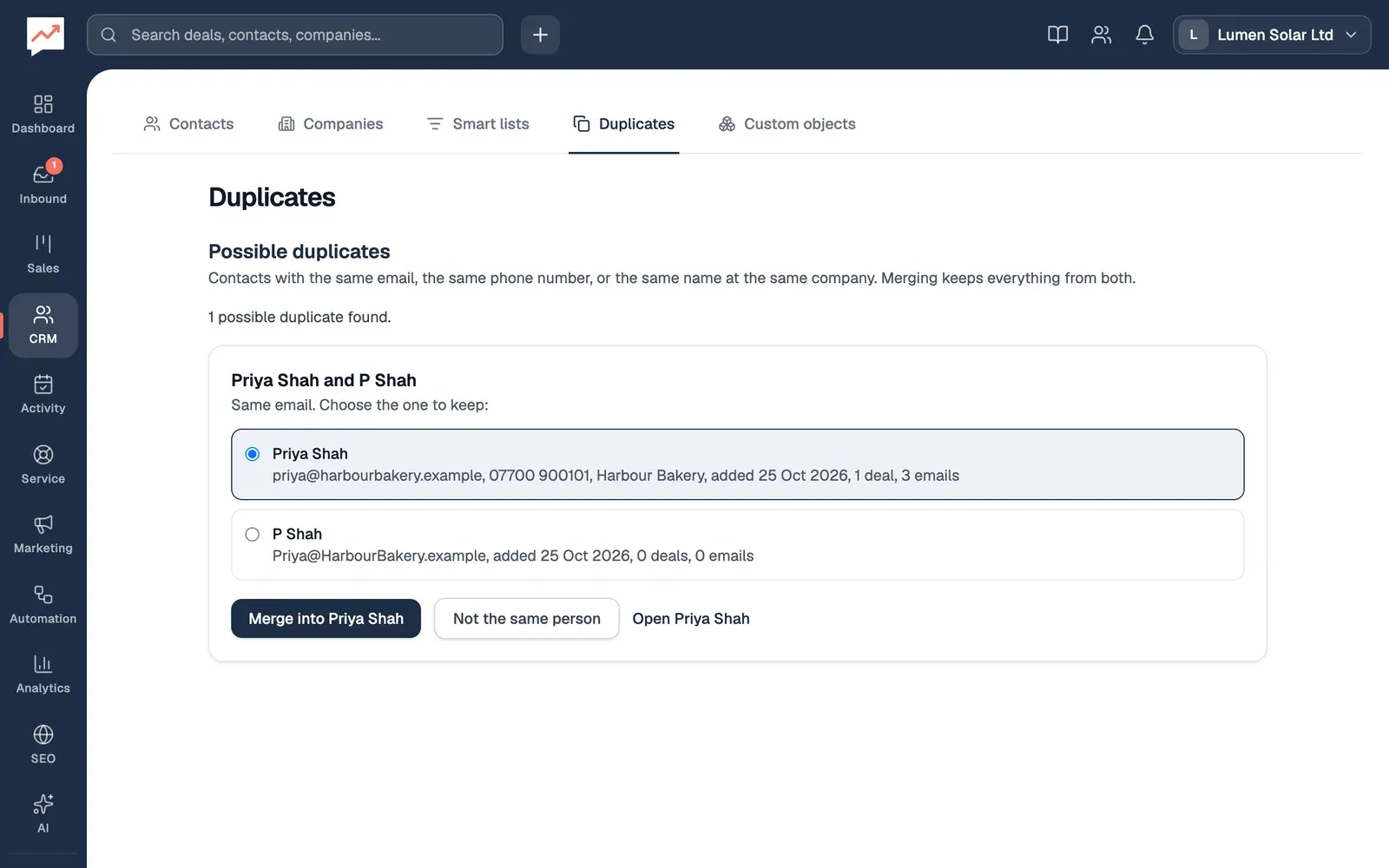
-
Choose the contact to keep. HeySales starts on the one with the most deals and emails, or the oldest if that’s a tie. Each one shows their email, phone, company, when they were added, and how many deals and emails they have.
-
Select Merge into and the name of the contact you’re keeping, then Merge to confirm.
-
If they’re two different people, select Not the same person instead.
The suggestion goes, and HeySales says how many contacts were merged. Open and the contact’s name opens the one you’ve chosen to keep, if you want to check them first.
The contacts in each suggestion are radio buttons, so with a keyboard you move between them with the arrow keys. After a merge, focus moves to the Possible duplicates heading.
What moves to the contact you keep
Section titled “What moves to the contact you keep”Everything linked to the other contact moves to the one you keep:
- deals, including ones where they’re not the main contact, and invoices
- emails, notes and tasks
- logged calls and meetings
- bookings, tickets, survey answers and form submissions
- groups
- custom field values, for fields the kept contact hasn’t filled in
- custom object records linked to them
- sequences, workflows and marketing emails, including any unsubscribe. If both are in the same sequence at the moment, the other contact’s place in it is stopped, so nobody gets the same email twice.
The kept contact’s own details stay as they are. Any of their details that are empty, such as their phone number or company, are filled in from the other contact. The kept contact’s first name isn’t changed, and they keep whichever of the two dates added is earlier.
It all happens in one go, so a merge never stops halfway.
Not the same person
Section titled “Not the same person”Not the same person stops HeySales suggesting those contacts together again. If another contact who matches them turns up later, they’re suggested again, with the new one included.
Stop duplicates before they happen
Section titled “Stop duplicates before they happen”When you add a contact whose email address someone already has, HeySales says who, such as “Priya Shah already has this email”, with a link to open them instead.
Custom objects: keep your own kinds of records, linked to your contacts, deals and companies.