

SEO
The SEO Analyzer reads the pages of your website and lists anything that could stop them doing well in search results, such as a missing page title or very little text. Choose SEO in the main menu.
Add your website
Section titled “Add your website”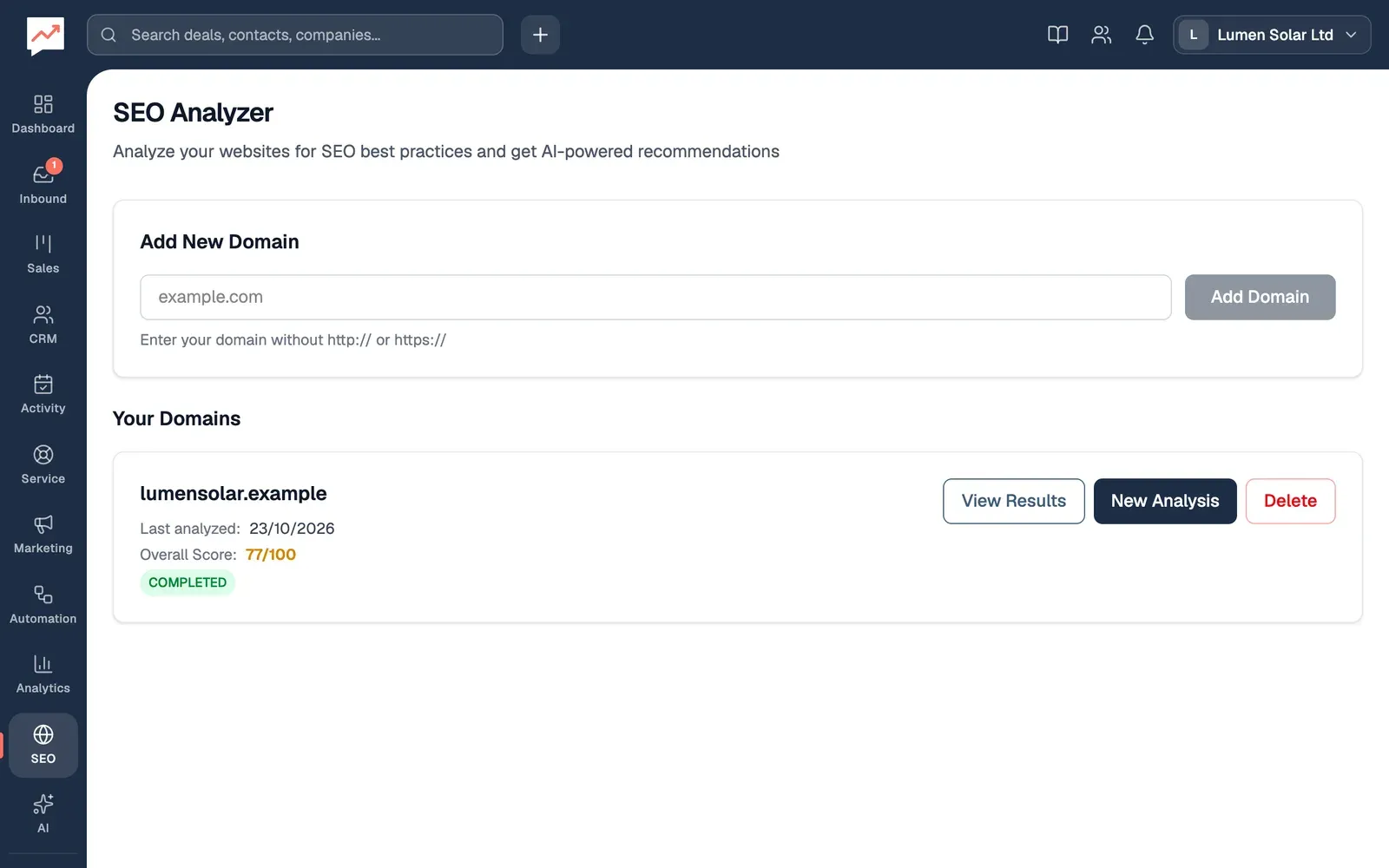
-
Type your website’s address in the box under Add New Domain, such as lumensolar.example, and choose Add Domain or press Enter. Leave out
http://andhttps://. -
View Results opens the latest finished analysis. See Read the results.
-
New Analysis checks the site again. The list shows the latest analysis for each domain.
-
Delete removes the domain and its analyses, after you confirm with Delete domain. This can’t be undone.
Each domain shows when it was last analysed, its Overall Score out of 100 and the analysis’s status. Everyone in your team sees the same domains.
Run an analysis
Section titled “Run an analysis”Choose New Analysis next to the domain. The analysis page opens, and while it runs, Analysis in Progress says how many pages it has read so far. It checks again every few seconds. If it still says PENDING, reload the page.
The analysis:
- starts at your home page, trying
https://, thenhttps://www., thenhttp:// - follows links to other pages on the same site, up to 30 pages, starting with pages such as about, contact, services, products, pricing and blog
- skips files such as PDFs and pictures, and pages such as login, sign-up, admin, cart and checkout
- waits up to 10 seconds for each page
If it can’t reach your site, the status is FAILED, with the reason. Try Again takes you back to your domains, where you can check the address and choose New Analysis.
Read the results
Section titled “Read the results”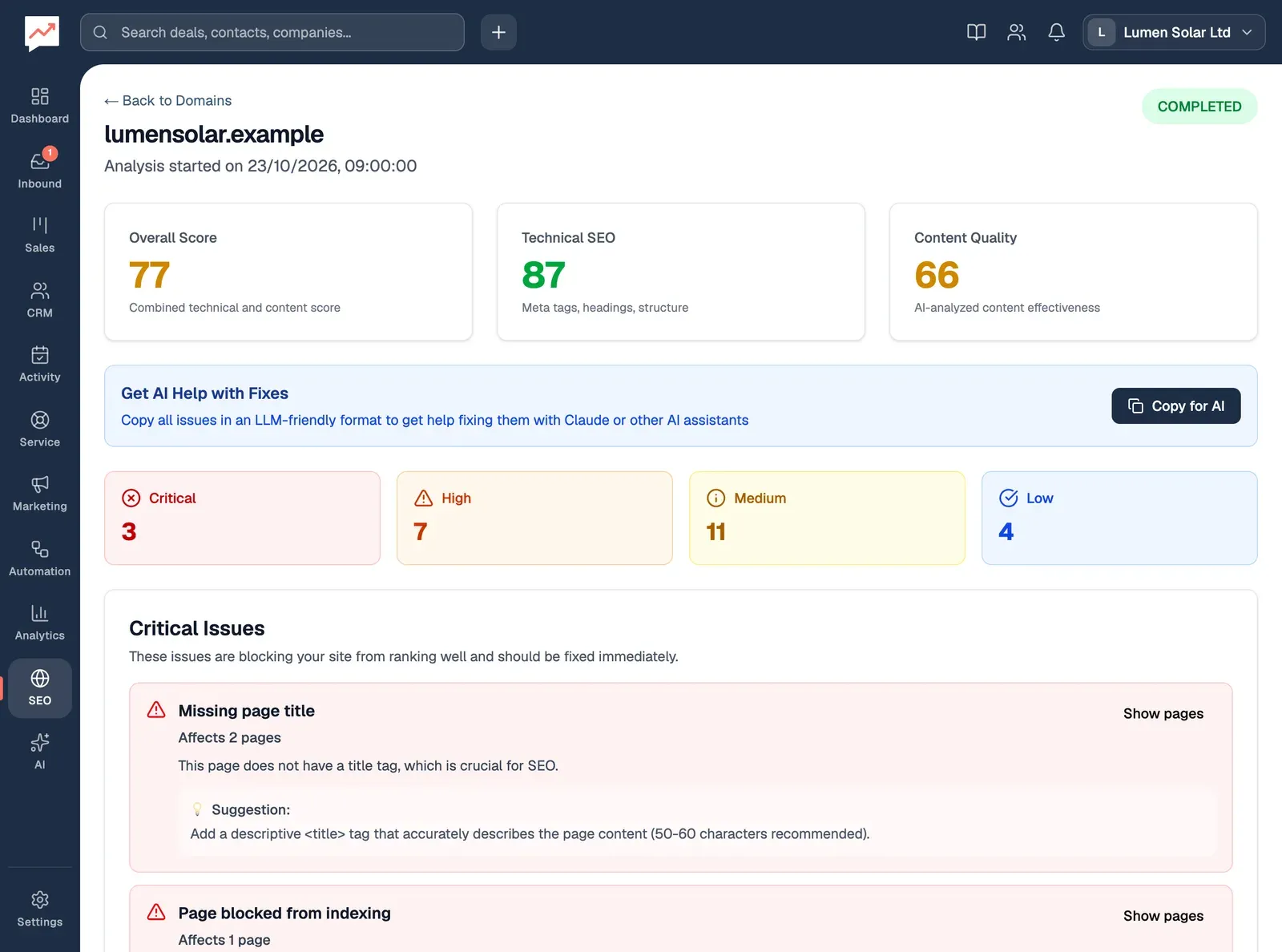
-
Overall Score is the average of Technical SEO and Content Quality, each out of 100. For Technical SEO, each page starts at 100 and loses points for problems with its title, description, H1 heading, status code, alt text or links, and the pages are averaged. Content Quality is the average of the AI’s scores for each page’s writing.
-
Copy for AI copies every issue as text, grouped by priority, with the pages each one affects. Paste it into a document, an email to whoever looks after your website, or an AI assistant.
-
Critical, High, Medium and Low say how many issues of each priority were found.
Below them, Critical Issues, High Priority Issues, Medium Priority Issues and Low Priority Issues list each problem: how many pages it affects, what’s wrong and a Suggestion. Show pages lists those pages, each a link that opens it.
Analyzed Pages lists every page that was read, with its address, status code, title, number of words, images with alt text, links to your other pages, how long it took to respond, and its AI Content Score with a suggestion. Each address is a link that opens the page in a new tab. Search pages by URL or title and All, Success (200) and Errors narrow the list. Preview shows the copy of the page that was read.
What it checks
Section titled “What it checks”| Check | Priority |
|---|---|
| No page title | Critical |
| Page title shorter than 30 characters | Medium |
| Page title longer than 60 characters | Low |
| No meta description | High |
| Meta description shorter than 120 or longer than 160 characters | Low |
| No H1 heading | High |
| More than one H1 heading | Medium |
| No H2 subheadings | Low |
| Page set to noindex, which keeps it out of search results | Critical |
| Fewer than 300 words | Medium |
| Images without alt text | Medium |
| Links whose address isn’t valid | High |
| No links to your other pages (not checked on the home page) | Medium |
| A server error (a 500 code) | Critical |
| Page not found, or another 400 code | High |
| Any other code instead of 200 | Medium |
| Took more than 3 seconds to respond | Medium |
| Likely written by AI | High |
| Possibly written by AI | Medium |
| Writing style doesn’t match your other pages | Medium |
The link check looks at whether each link’s address can be read. It doesn’t visit the links to see whether they work.
The last three checks, and the AI Content Score, are the AI’s own judgement of the page’s text, so treat them as a second opinion.
Turn visitors into contacts with forms, or see who visits your website.