

Invoices
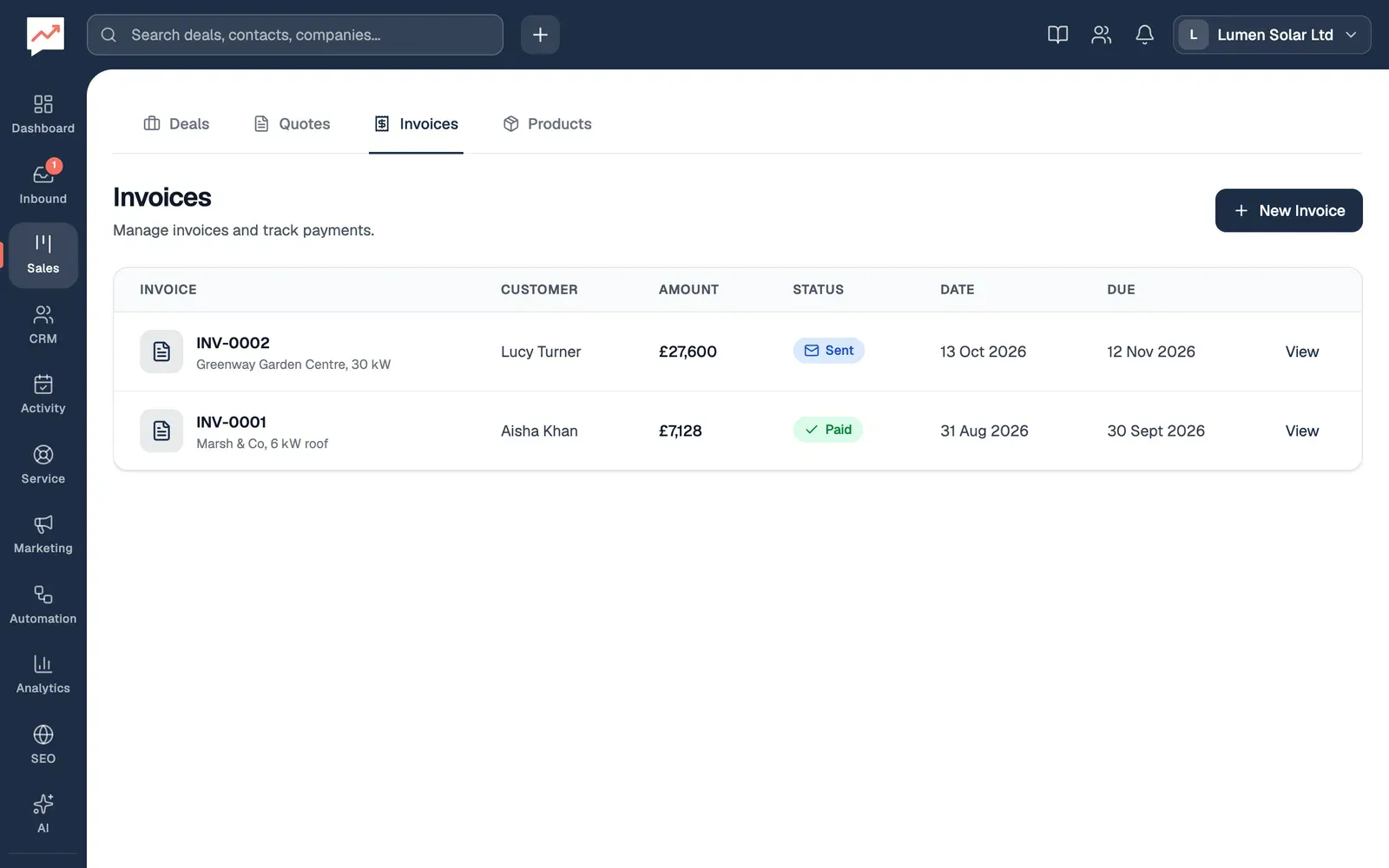
The Invoices tab lists your invoices: who each one is for, how much it’s for, whether it’s been paid and when it’s due. You can look at invoices here, but you can’t yet write, send or take payment for them in HeySales. See What invoices can’t do yet.
The Invoices tab
Section titled “The Invoices tab”Go to Sales, then Invoices.
-
New Invoice adds an empty draft invoice. See Add an invoice.
-
View opens an invoice’s page. See An invoice’s page.
For each invoice, the table shows its number and the deal it’s for, the Customer, the Amount (and how much has been paid, if it’s part paid), the Status, its Date and when it’s Due.
The status is one of Draft, Sent, Viewed, Paid, Partial, Overdue or Void. A sent invoice shows as Overdue once its due date has passed.
An invoice’s page
Section titled “An invoice’s page”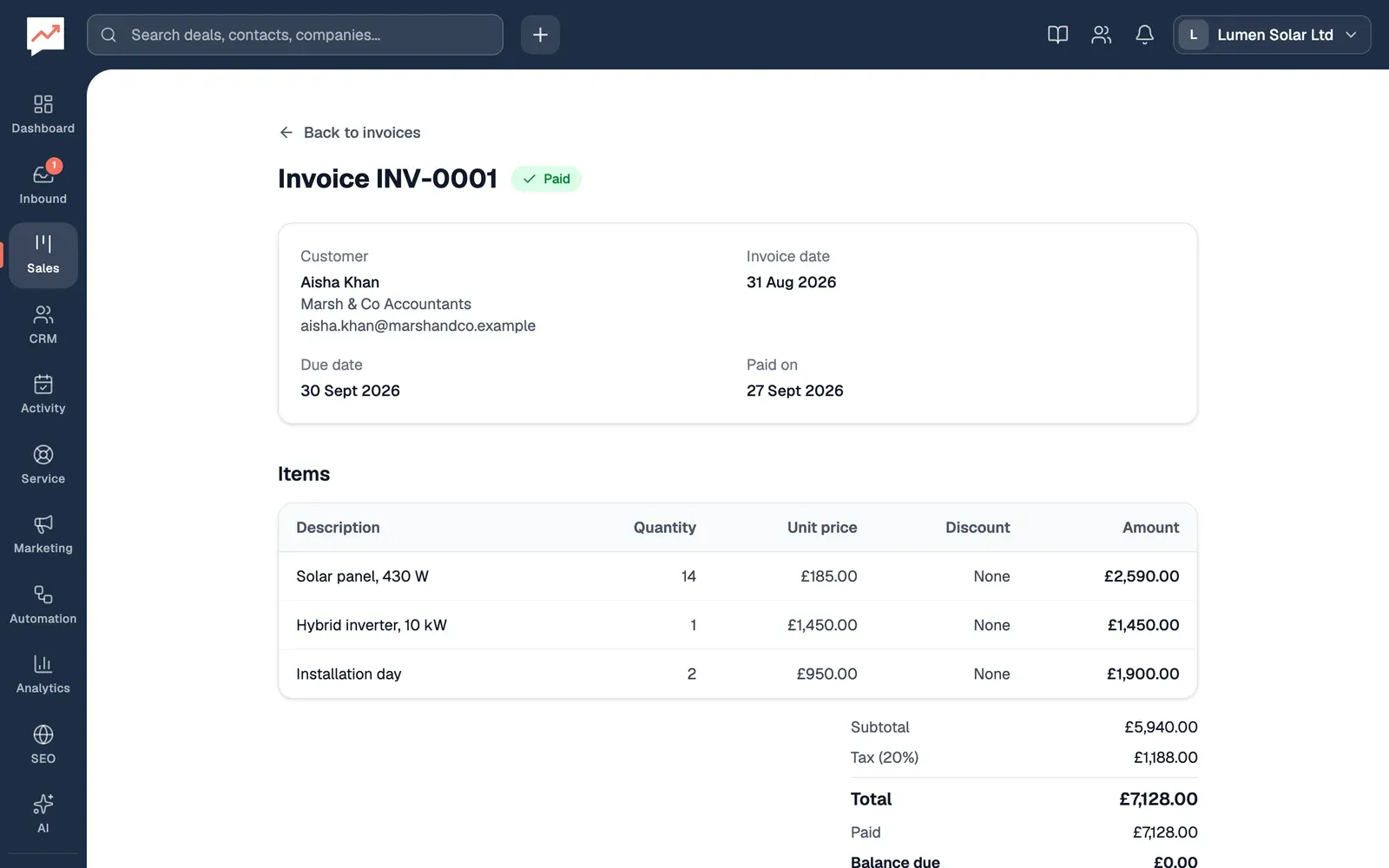
-
Back to invoices goes back to the list.
-
Items lists what the invoice is for, with each item’s quantity, unit price, discount and amount. Under it are the Subtotal, Tax and Total, and once anything’s been paid, Paid and Balance due.
Above the items are the invoice’s number and status, the Customer, the Invoice date, the Due date and, once it’s paid, Paid on. Any Notes and Terms are at the bottom. On a phone, the unit price and discount columns are hidden.
Add an invoice
Section titled “Add an invoice”New Invoice (or Create your first invoice, when you have none) adds a draft invoice straight away, with the next number, such as INV-0003, and today’s date. It has no customer or items, and you can’t add them in HeySales.
What invoices can’t do yet
Section titled “What invoices can’t do yet”On the Invoices tab and an invoice’s page, you can’t:
- add or change an invoice’s customer, items, dates, notes or terms
- send or email an invoice to your customer
- record a payment, or mark an invoice as paid
- print an invoice or save it as a PDF
- delete or void an invoice
- turn a quote into an invoice.
Invoices made through the HeySales API can have a customer, items, VAT, notes and terms, and the API can change an invoice’s status and record payments. Those invoices show here in full.
Make and update invoices with the HeySales API, or go back to your quotes.