

API
The REST API lets your own systems and scripts read and change your company’s HeySales data: contacts, companies, deals, tasks and more. To hear about changes as they happen instead, use webhooks.
Make an API key
Section titled “Make an API key”Go to Settings, then API access.
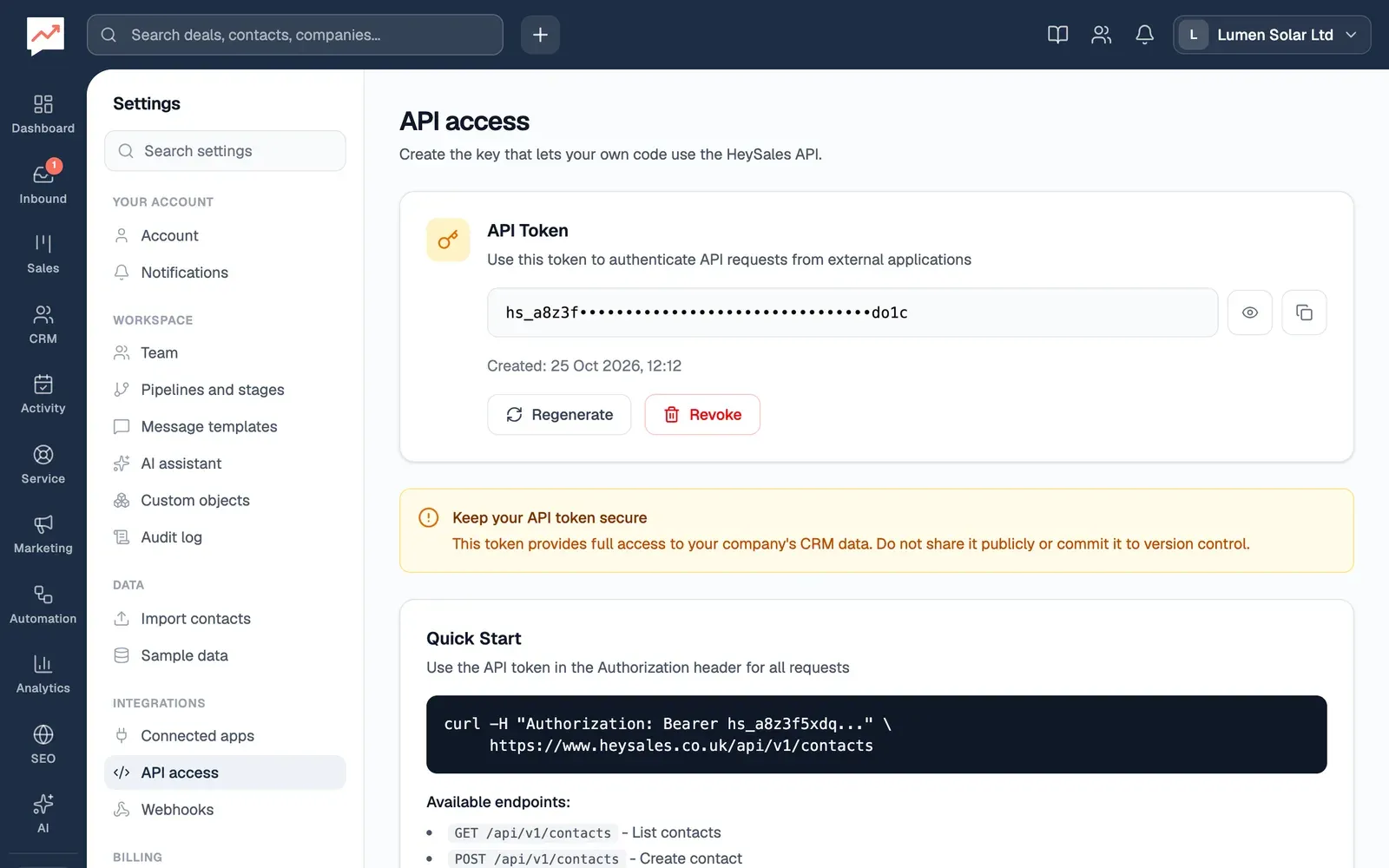
If there’s no key yet, choose Generate API Token. Once there’s a key:
-
Show token, the eye button, shows the whole key.
-
Copy token copies it, so you can paste it into your system’s settings.
-
Regenerate makes a new key. The old one stops working straight away.
-
Revoke turns the API off for your company until you make a new key. It asks you to confirm first.
Your company has one API key, shared by everything that uses the API. Changes made with it show as API key in the audit log.
Use the API
Section titled “Use the API”Send the key in the Authorization header of every request, and send and receive JSON. For example, to list contacts whose name or email includes “shah”:
curl -H "Authorization: Bearer hs_your_key" \ "https://www.heysales.co.uk/api/v1/contacts?query=shah&limit=10"And to add one:
curl -X POST https://www.heysales.co.uk/api/v1/contacts \ -H "Authorization: Bearer hs_your_key" \ -H "Content-Type: application/json" \ -d '{"firstName": "Emma", "lastName": "Clarke", "email": "emma.clarke@mail.example"}'A contact or deal made through the API starts your workflows and webhooks, just as one made in HeySales does.
If the key is missing or wrong, the API answers 401 with an error message.
What you can use
Section titled “What you can use”Every address starts https://www.heysales.co.uk/api/v1.
| Address | What you can do |
|---|---|
/contacts, /contacts/{id} |
List, search, add, read, change and delete contacts |
/companies, /companies/{id} |
List, add, read, change and delete companies |
/deals, /deals/{id} |
List, add, read, change and delete deals |
/deals/{id}/stage |
Move a deal to another stage |
/deals/{id}/activity |
A deal’s activity |
/deals/{id}/line-items |
A deal’s products: list, add, change and remove |
/deals/{id}/quotes |
A deal’s quotes: list, add, read, change and delete |
/pipelines, /pipeline |
Your pipelines and their stages |
/tasks, /tasks/{id} |
List, add, read, change and delete tasks |
/notes |
List and add notes |
/products, /products/{id} |
List, add, read, change and delete products |
/quotes, /quotes/{id}/pdf |
List quotes, and download one as a PDF |
/invoices, /invoices/{id} |
List, add, read, change and delete invoices, and /pdf to download one |
/emails, /emails/{id} |
List and read emails |
/emails/send |
Send an email (to, subject, body) from the Gmail of a teammate who has connected Google. If several have, you can’t choose whose |
/calendar, /calendar/{id} |
List, add, read, change and delete calendar events |
/forms, /forms/{id}/submissions |
Your forms and what people sent |
/goals, /goals/{id} |
Sales goals |
/leads/stale |
Deals that haven’t changed for a number of days (days, 14 unless you say) |
/reports |
Report figures |
/analytics/website |
Website visit figures |
/search |
Search contacts, companies, deals, tasks and products (q, and type to search just one) |
/users |
Your teammates |
Most lists return 50 records. Ask for a different number with limit, up to 100. /search returns 10 unless you ask for more, up to 50.