

Pipelines and stages
A pipeline is the set of stages your deals go through, from a new lead to won or lost. You can have more than one, for different kinds of work, and change the stages in each whenever you need to. Anyone on your team can change pipelines and stages.
Add a pipeline
Section titled “Add a pipeline”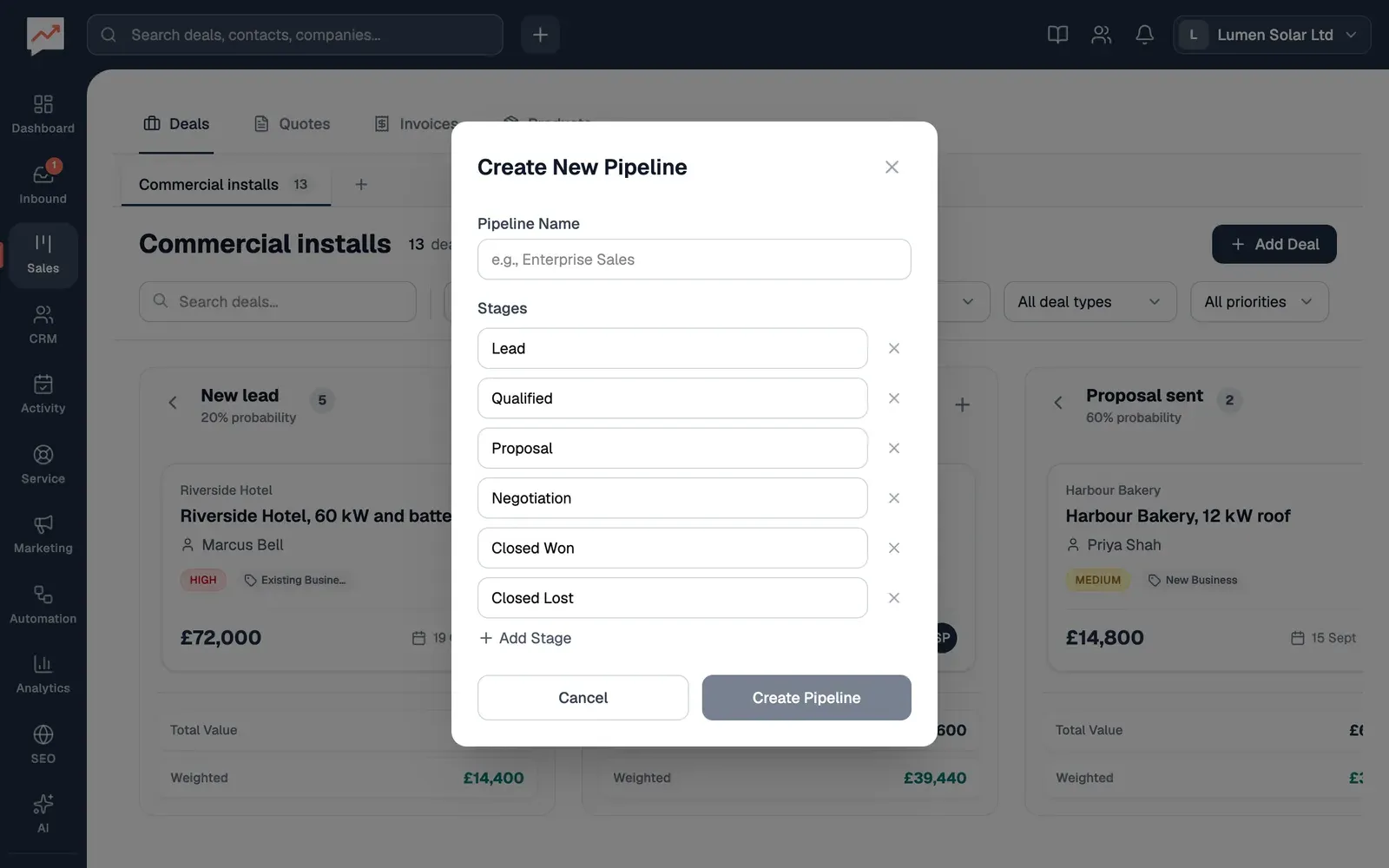
-
In Sales, on the Deals tab, select Create new pipeline (the + after your pipeline tabs), then type a Pipeline Name.
-
Change the Stages to suit you. Type over a stage’s name to change it, select Add Stage for another, or the cross beside a stage to remove it. A pipeline needs at least two stages.
-
Select Create Pipeline. The board switches to your new pipeline.
Each stage gets a close probability to start with: 100% for the won stage, 0% for the lost one, and rising from the first stage to the last for the others. You can change them afterwards, as below.
Change your stages
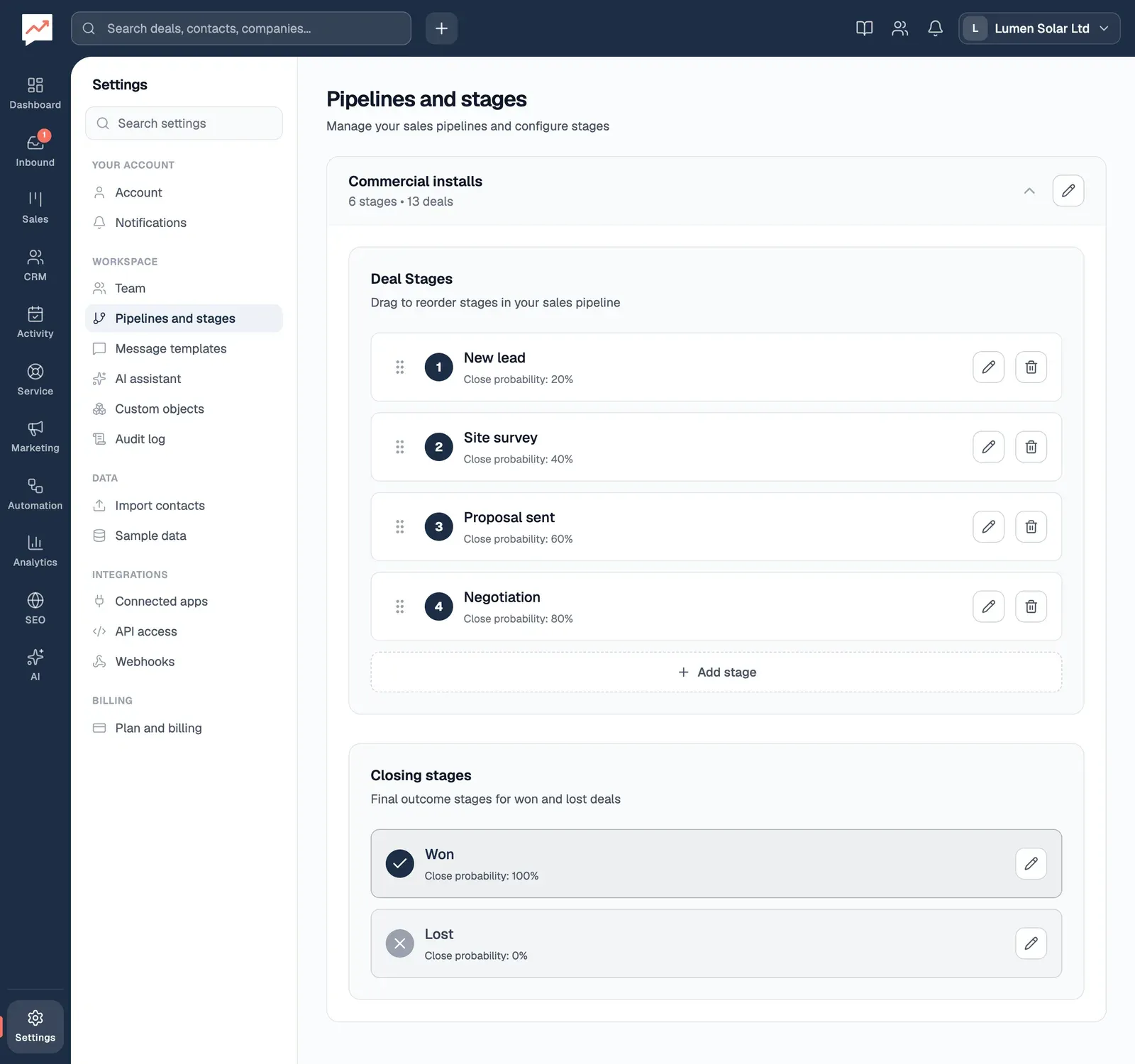
Section titled “Change your stages”Go to Settings, then Pipelines and stages. Each pipeline shows how many stages and deals it has. Choose a pipeline’s name to open its stages.
-
Edit pipeline name (the pencil beside the pipeline’s name) renames the pipeline. Press Enter, or select Save pipeline name, to keep the new name.
-
Move New lead (the handle before each stage) changes the order of your stages. Drag it, or with the keyboard, press Space on it, use the up and down arrow keys, then press Space again to drop it. Escape puts it back. Then select Save Order, which appears at the top of Deal Stages, or Cancel to undo the move.
-
Edit New lead (the pencil after each stage) lets you change the Stage name and its close probability. Select Save stage to keep the changes.
-
Add stage adds a stage after the others in Deal Stages. Type its name and close probability, then select the tick button.
-
Closing stages holds your won and lost stages. You can rename them and change their close probability with the pencil beside each one, but you can’t move or delete them.
Close probability
Section titled “Close probability”A stage’s close probability is how likely you think a deal at that stage is to be won, from 0 to 100%. The deal board uses it for its Weighted totals: Northgate Dental, 8 kW roof, worth £9,600 at Site survey, a stage at 40%, counts as £3,840.
Delete a stage or a pipeline
Section titled “Delete a stage or a pipeline”Delete New lead (the bin after each stage) deletes that stage, once you confirm. A stage that still has deals can’t be deleted, so move them to another stage on the board first.
If you have more than one pipeline, the bin beside a pipeline’s name (Delete Commercial installs, for example) deletes the pipeline and all its stages, once you confirm. A pipeline that still has deals can’t be deleted. Deals can’t be moved from one pipeline to another in HeySales, so you’d need to delete them first.
See your stages at work on the deal board.