

Products
Your product list holds the things you sell and their prices. When you add products to a deal, the deal’s amount is worked out from them, and they’re copied into the deal’s quote.
The Products tab
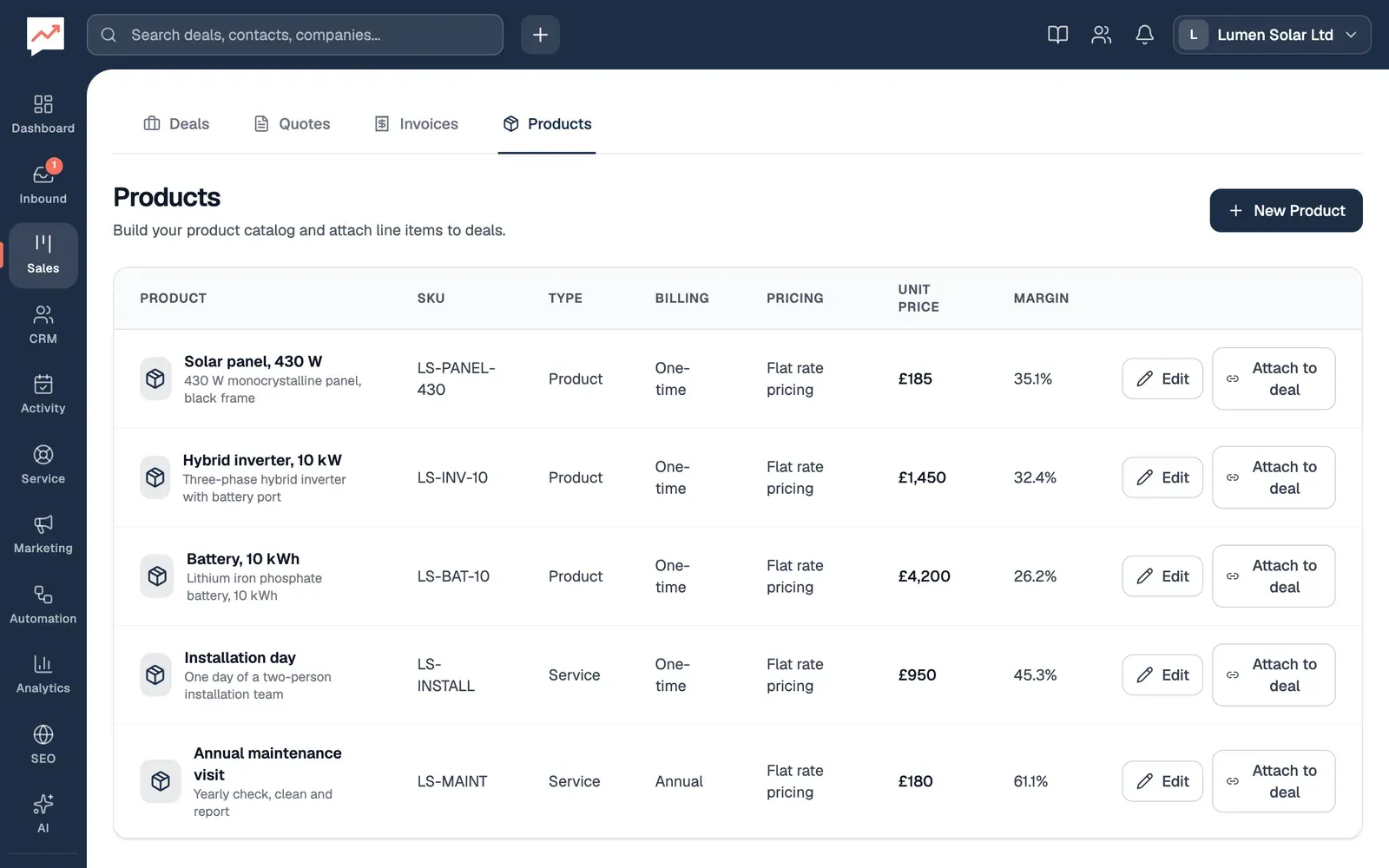
Section titled “The Products tab”Go to Sales, then Products.
-
New Product adds a product. See Add a product.
-
Margin shows how much of each product’s price you keep once its cost is paid.
Each product has Edit, to change it, and Attach to deal, to add it to a deal. On narrow screens, such as a phone, Attach to deal is hidden: add products from the deal’s Edit panel instead. There’s no way to delete a product yet.
Add a product
Section titled “Add a product”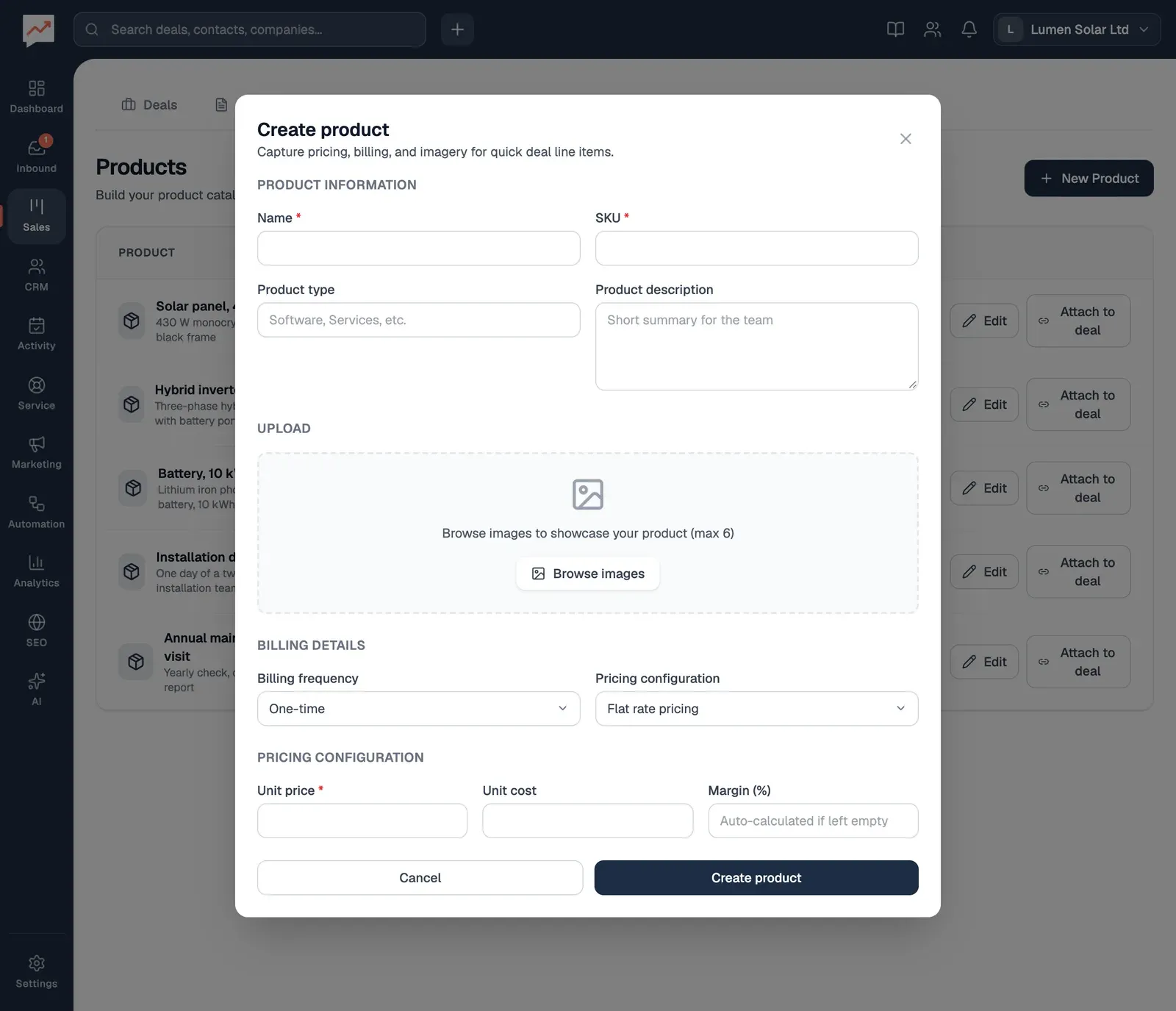
-
Select New Product, then type the product’s Name, such as “Battery, 10 kWh”. Add a Product description if it helps your team.
-
Type a SKU, your own short code for the product. Name and SKU are required. You can also give it a Product type; if you leave it empty, it’s “General”.
-
Type the Unit price: what one costs your customer before any discount. Add the Unit cost, what one costs you, and leave Margin (%) empty to have the margin worked out for you.
-
Select Create product.
Billing frequency (One-time, Monthly, Quarterly, Semi-annual or Annual) and Pricing configuration (Flat rate pricing or Tiered pricing) are shown in your product list for reference only. They don’t change any sums: a product always costs its unit price times the quantity, less any discount.
To change a product, select its Edit, make your changes, then select Update product.
Add products to a deal
Section titled “Add products to a deal”You can add products to a deal in two ways: with Add product when you add or change the deal, or from here, with Attach to deal.
-
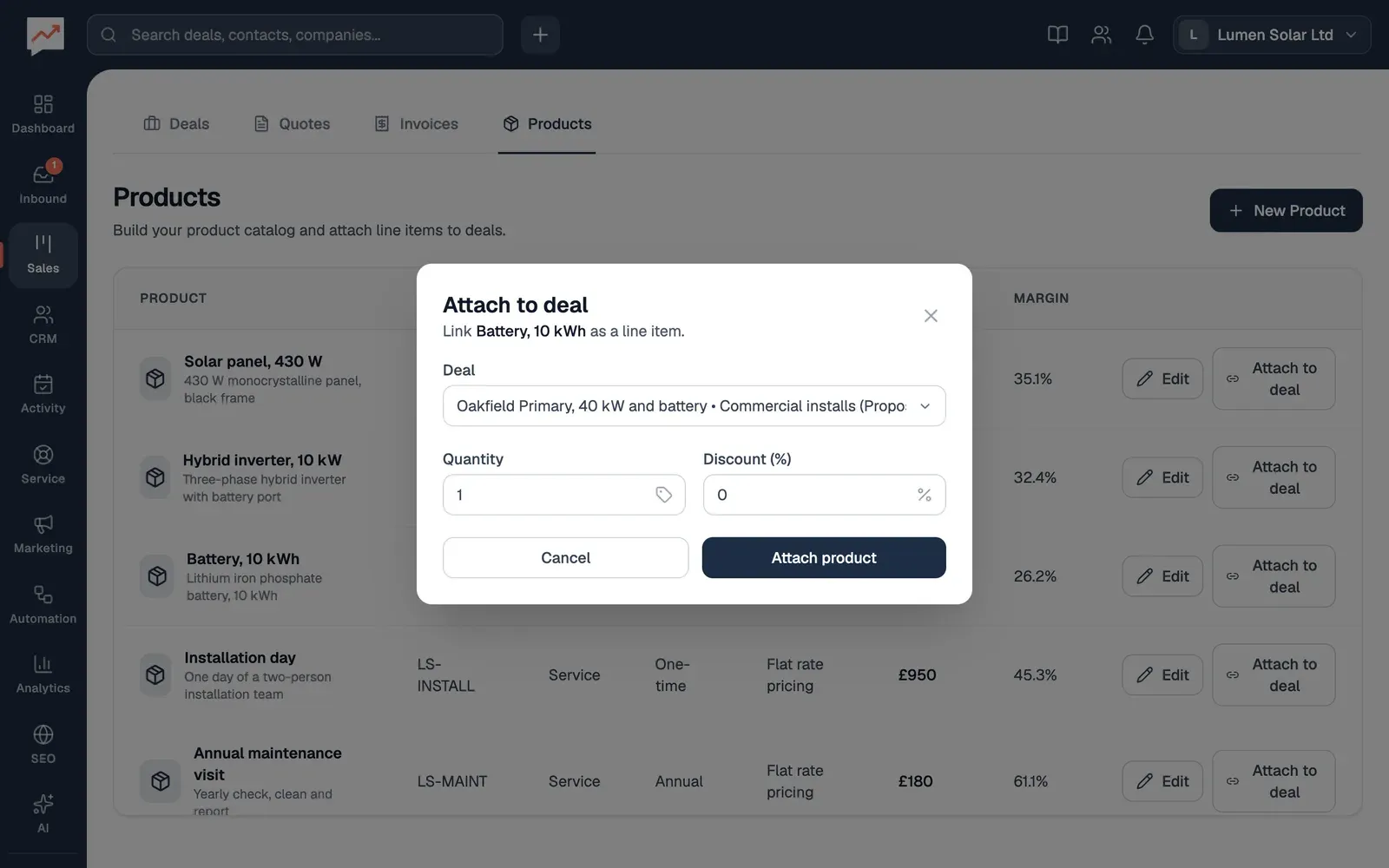
Select Attach to deal beside the product, then choose the Deal. Every deal in every pipeline is listed, with its pipeline and stage.
-
Set the Quantity.
-
Type a Discount (%) if you’re giving one.
-
Select Attach product.
The product is added to the deal, and the deal’s amount becomes the total of all its products, even if you’d typed in an amount of your own.
Write a quote from a deal’s products.