

Free and Pro
HeySales has two plans. Free covers your contacts, deals, email and calendar, with limits on deals, tasks and forms. Pro adds customer service, marketing email, automation, the AI assistant and more. A plan covers your whole company, so everyone in your team has the same one. You can try Pro free for 14 days.
What’s in each plan
Section titled “What’s in each plan”On every plan
Section titled “On every plan”- Contacts and companies, with groups and custom fields, smart lists and duplicates, and importing contacts
- Your pipelines and deals on the Sales board, and products
- The Inbox and message templates
- Tasks, the calendar and booking links
- Forms, website traffic and SEO
- The Reports tab
- Inviting your team and the API
Limits on the Free plan
Section titled “Limits on the Free plan”- 5 deals, counting won and lost ones
- 10 tasks, counting finished ones
- 1 form
When you reach a limit, HeySales says so when you try to add another. Deleting one you no longer need makes room.
Only on Pro
Section titled “Only on Pro”- A deal’s own page, with its activity and quotes
- Service: tickets, the help centre and surveys
- Marketing: marketing emails
- Automation: workflows and sequences
- AI: the AI assistant
- Custom reports
- Custom objects
- The audit log and webhooks
On the Free plan, the Pro parts of the menu have a Pro label and open the Upgrade page. Pro pages in Settings say “This is part of Pro”, with a See plans link.
Try Pro free for 14 days
Section titled “Try Pro free for 14 days”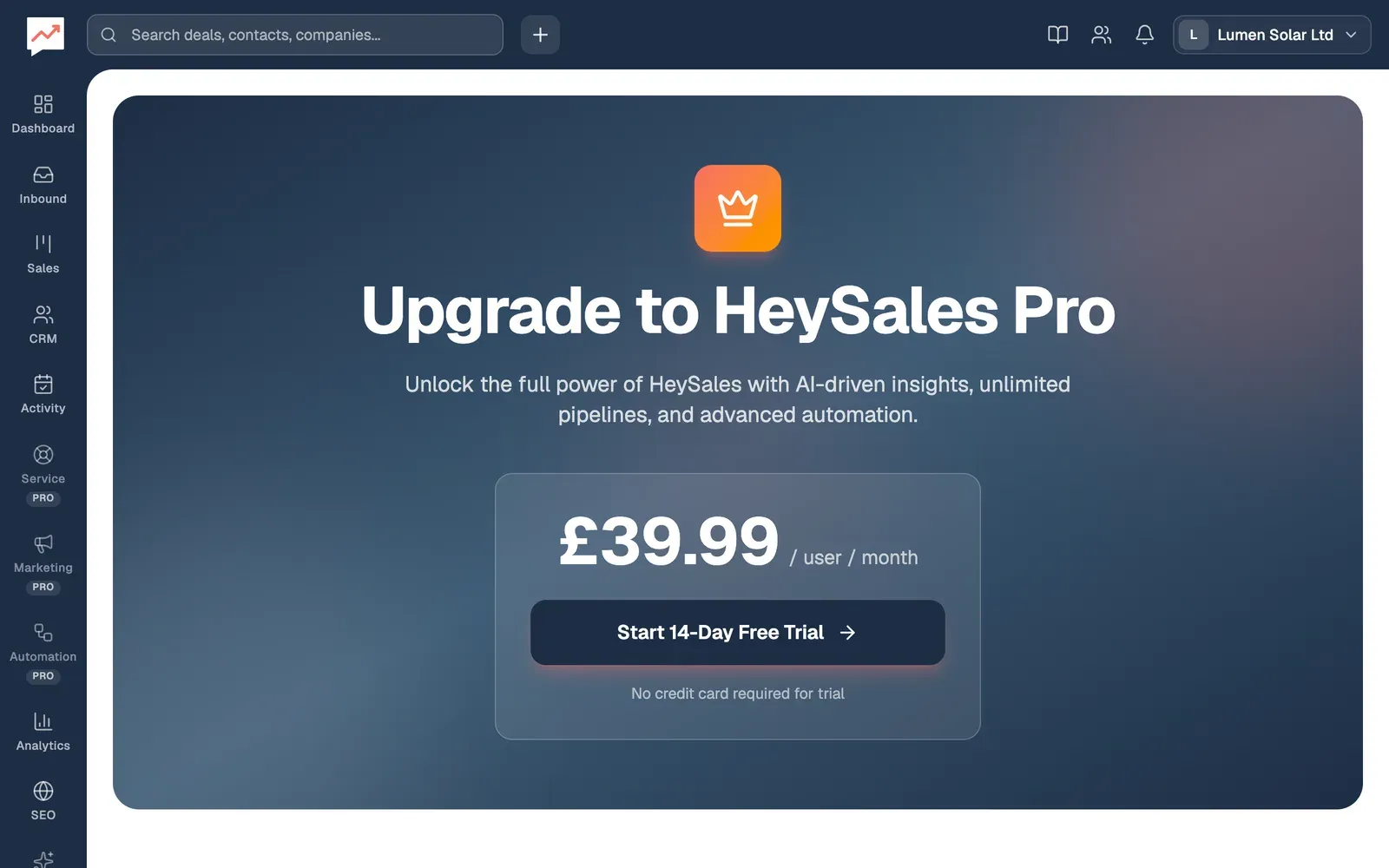
-
Choose any part of the menu marked Pro, or go to Settings, then Plan and billing. The Upgrade page opens.
-
Select Start 14-Day Free Trial. Pro starts straight away for everyone in your company, and your deals open.
- Only your company’s owner can start the trial. For anyone else, the button can’t be selected, and the page says Only workspace owners can manage billing.
- You don’t need a card for the trial. Each company can have one trial.
- While it runs, a banner at the top of every page says how many days are left, with an Upgrade to Pro link. In the account menu, your plan shows as Pro trial.
When the trial ends
Section titled “When the trial ends”If you haven’t subscribed by the last day, your company goes back to the Free plan:
- Nothing you made is deleted, but the Pro parts of HeySales lock again, and the Free limits apply to anything new.
- Workflows and sequences stop, marketing emails stop sending, and webhooks stop.
- Your help centre and survey pages stop showing.
The banner then says your free trial has ended, with a Subscribe now link.
Pay for Pro
Section titled “Pay for Pro”You can subscribe during the trial, after it, or without trying it first.
-
Go to Settings, then Plan and billing. The Upgrade page shows the price for each person in your team per month and, with more than one person, the total for your team.
-
Select Subscribe Now. Stripe, the company that takes HeySales’s payments, opens to take your card and billing address.
-
When you’ve paid, Welcome to HeySales Pro! says your subscription is active and when it renews, with Go to Deals and View Dashboard.
Only your company’s owner can subscribe from the Upgrade page. If you leave Stripe without paying, you come back to the Upgrade page and nothing changes.
You pay for the number of people in your company when you subscribe.
Upgrade to Pro in the account menu is a shortcut: it goes straight to Stripe, without the free trial. To try Pro first, use Start 14-Day Free Trial on the Upgrade page.
Manage your subscription
Section titled “Manage your subscription”Once you’re on Pro, the Upgrade page says You’re on HeySales Pro, and your plan shows as Pro plan in the account menu.
Manage Subscription on the Upgrade page, or Manage billing in the account menu, opens Stripe’s page for your company’s subscription and payment details. When you’ve finished there, Stripe brings you back to your dashboard. Only your company’s owner can use Manage Subscription.
Invite your team, so everyone works in the same HeySales.