

Audit log
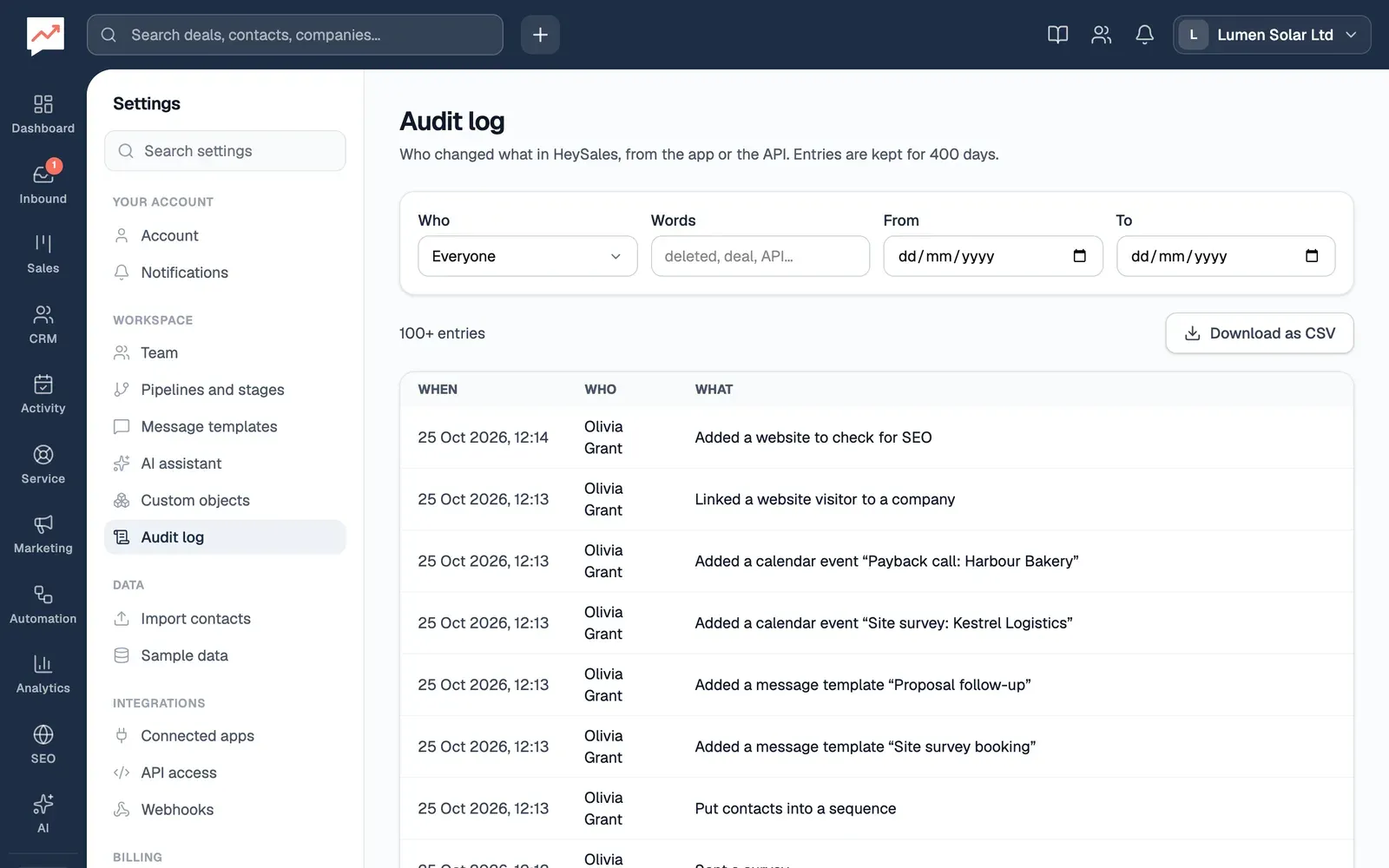
The audit log lists every change made in your company’s HeySales: who made it, when, and what it was. Use it to answer “who deleted that deal?” or to keep a record for your accountant or an auditor.
The audit log
Section titled “The audit log”Go to Settings, then Audit log.
-
Who shows one person’s changes, or changes made through the API, which are listed as API key.
-
Words finds entries that mention a word, such as “deleted”, “deal” or a contact’s name.
-
From and To show changes between two dates.
-
Download as CSV saves the entries that match your filters as a spreadsheet.
The table shows the newest changes first, 100 at a time. Show older entries adds the next 100 and moves you to the first of them, so a screen reader carries on reading from there.
What each entry says
Section titled “What each entry says”Each entry is a sentence, such as:
- Added a contact “Priya Shah”
- Moved a deal to another stage
- Saved a webhook: description, active, url, events
- Added through the API: contacts
When something is changed, the entry lists which details changed, but not what they were changed to. So you’ll see that a contact’s email changed, but not the address. To see a record’s current details, open it.
What’s logged
Section titled “What’s logged”- Every change made in HeySales: adding, changing and deleting contacts, companies, deals, pipelines, products, quotes, tickets, workflows, webhooks, custom objects and settings, sending emails and campaigns, and inviting teammates.
- Changes made through the API, with API key as who made them.
Some things aren’t logged, because they’d fill the log without telling you anything:
- Looking at pages and records, searching and downloading reports
- Signing in and out
- HeySales’s own background work, such as fetching new email from Gmail
Download the log
Section titled “Download the log”Download as CSV saves up to the newest 5,000 entries that match your filters. The file has a row for each entry, with when it happened (in UTC), who made the change, the sentence, a code for the action and the record’s ID. If more than 5,000 entries match, narrow the dates and download each part.
How long entries are kept
Section titled “How long entries are kept”Entries are kept for 400 days, then deleted automatically. To keep a longer record, download the log every year.
- Invite your team: roles, and who can see the audit log
- API: connect your own tools